Step 7 of 7
Security & Support
1
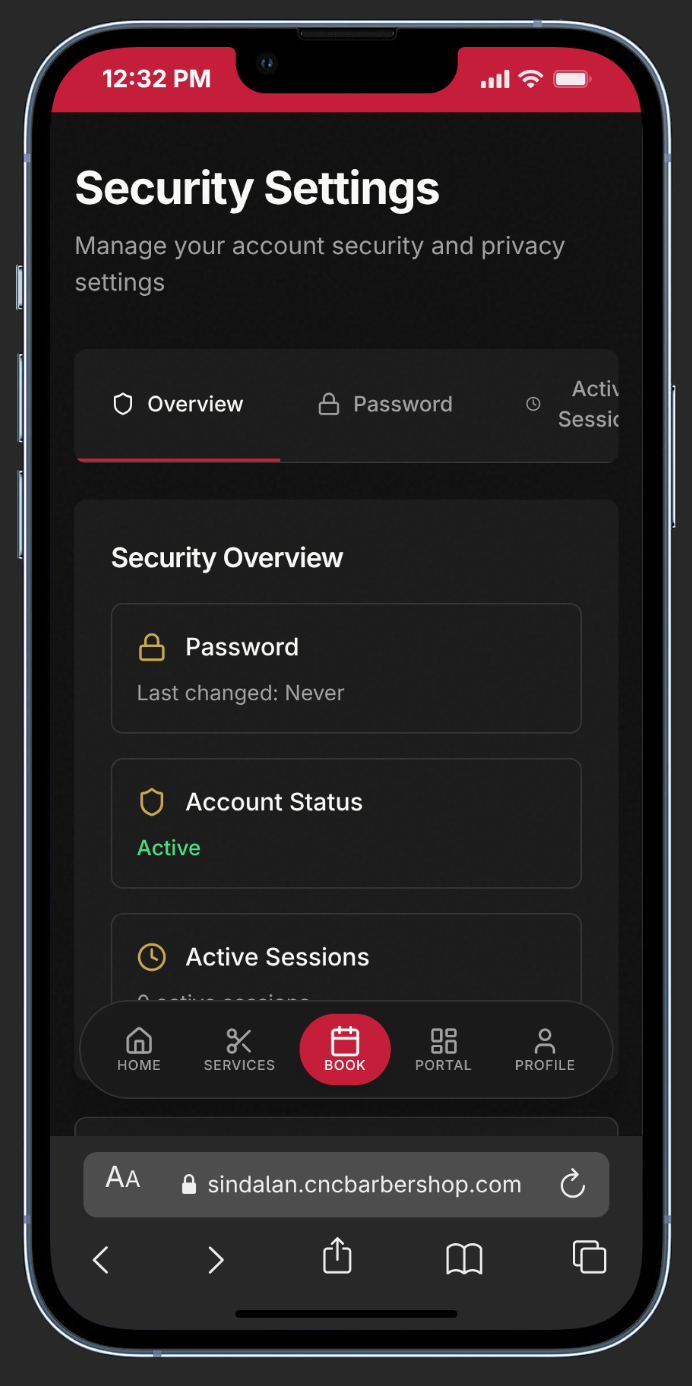
Open Security Settings
From your profile menu, tap Security Settings to manage passwords and two-factor authentication.
2
Change Your Password
Enter your current password, then set a new one. Must be 8+ characters with uppercase, number, and symbol.
3
Enable Two-Factor Authentication
Tap Enable 2FA. Scan the QR code with Google Authenticator or Authy, then enter the 6-digit setup code to confirm.
4
Sign Out Everywhere
If you suspect unauthorized access, use Sign Out to end all active sessions immediately.
5
Need Help?
Visit Contact from the main navigation for our location, hours, and phone number. Our team is happy to assist.
lightbulb
Pro Tip:
Enable 2FA as soon as possible — it adds an essential layer of security to your account and only takes 30 seconds to set up.