Step 1 of 7
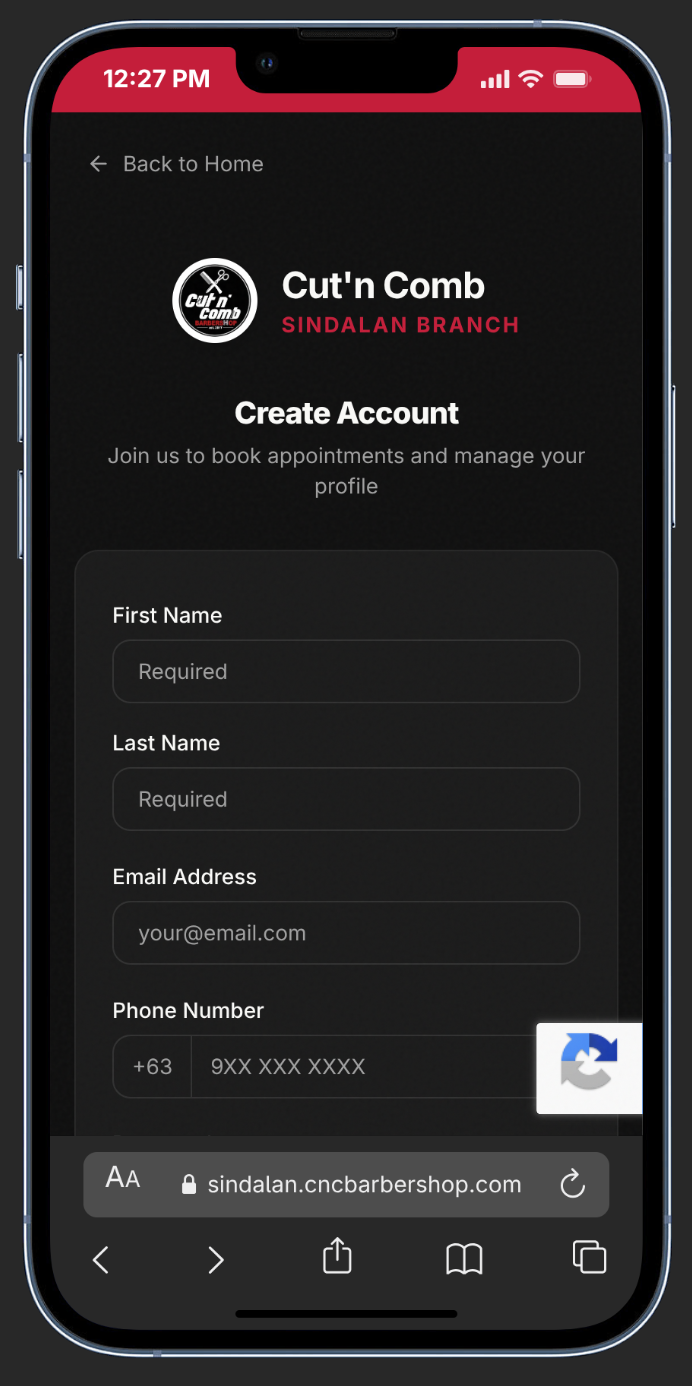
Creating an Account
1
Open the Sign-Up Page
From the homepage, click Sign In, then tap Create account at the bottom.
2
Fill In Your Details
Enter your First Name, Last Name, Email, Phone (+63), and create a Password (min 8 characters with uppercase, number & symbol).
3
Complete Your Profile
Select your Gender, enter your Birthday, and choose your Province, City, and Barangay from the dropdowns.
4
Add a Referral Code (Optional)
Got a code from a friend? Enter it to earn a bonus loyalty stamp for both of you.
5
Confirm & Verify
Agree to the Terms & Conditions and Privacy Policy, then click Create Account. Check your email and click the verification link.
lightbulb
Pro Tip:
Use a referral code during signup — both you and your friend get a bonus loyalty stamp toward a free haircut!