Step 2 of 7
Logging In
1
Open Sign In
Tap the Sign In button at the top-right of the homepage.
2
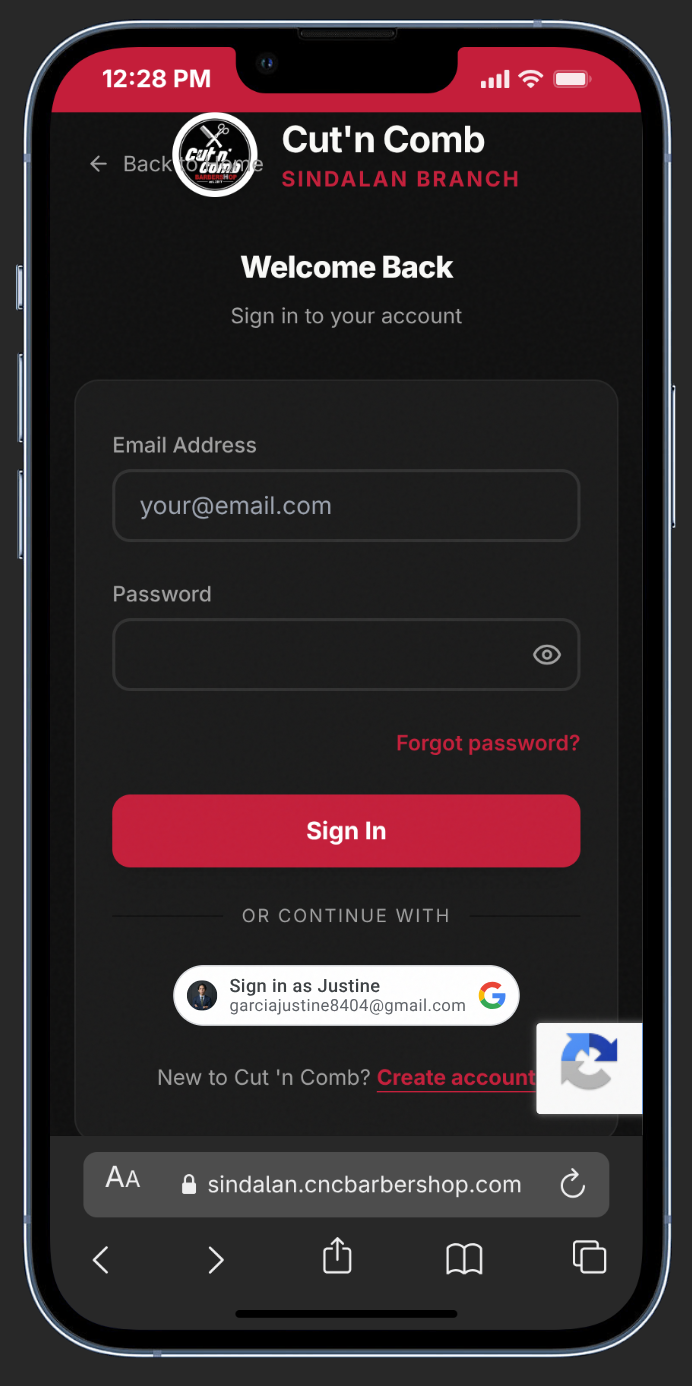
Enter Your Credentials
Type your Email Address and Password. Tap the eye icon if you need to double-check your password.
3
Sign In or Use Google
Click Sign In — or tap Google Sign-In for instant access without typing a password.
4
Two-Factor Authentication
If you enabled 2FA, enter the 6-digit code from your authenticator app (Google Authenticator, Authy).
5
Forgot Password?
Tap Forgot password? to receive a reset link via email. Follow the link to set a new password.
lightbulb
Pro Tip:
Enable 2FA in Security Settings for extra account protection — it only takes 30 seconds to set up.