Step 4 of 7
Booking an Appointment
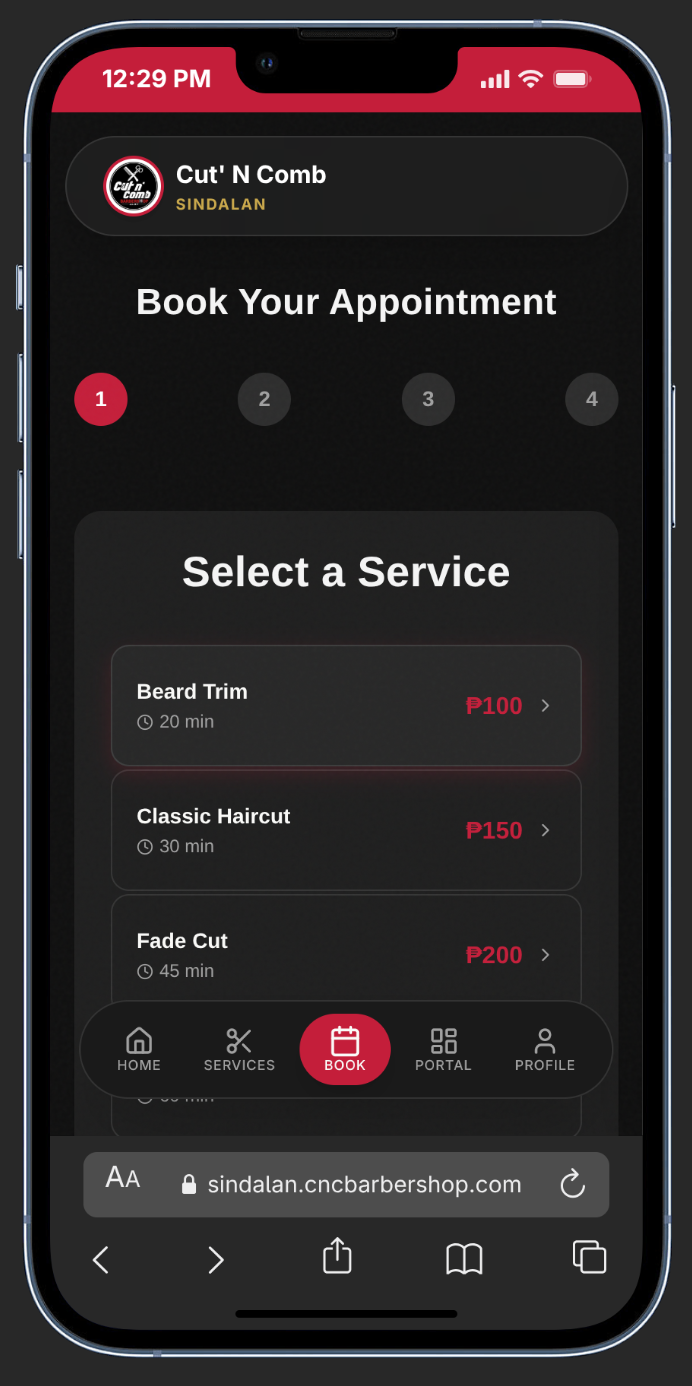
Start Booking
Click Secure Your Spot on the homepage or Book Appointment from the navigation bar.
Step 1 — Select a Service
Browse the available services and tap the one you want. Prices and durations are displayed for each option.
Step 2 — Choose Your Barber
Pick your preferred barber or select Any Barber for auto-assignment based on availability.
Step 3 — Pick Date & Time
Choose a date from the calendar, then tap an available time slot. Real-time availability is shown — grayed-out slots are taken.
Step 4 — Review & Pay
Add any special requests, then choose your payment:
• Pay at Shop — Free. First-timers verify via email OTP.
• Priority Reserve — Pay a small deposit (e.g. ₱2) via GCash or Maya to lock your slot.
Confirm & Scan QR
Tap Confirm Booking. If you chose Priority Reserve, a QR code appears. Scan it with GCash or Maya — payment is auto-detected instantly.
Book during non-peak hours (Tuesday–Thursday) for the best slot availability and a more relaxed session.